Typst for University Notes
Note
Jul 17, 2025
(modified May 9, 2026)
· ~2 min readFor my first two semesters, I used Markdown and Obsidian to take notes, Git to version them, and GitHub to back them up. Exported as PDFs when needed. It worked, but always felt like a patchwork solution.
Then I found Typst — a modern typesetting system with proper math support, macros, and beautiful PDF output. The moment I tried it, I switched everything over.
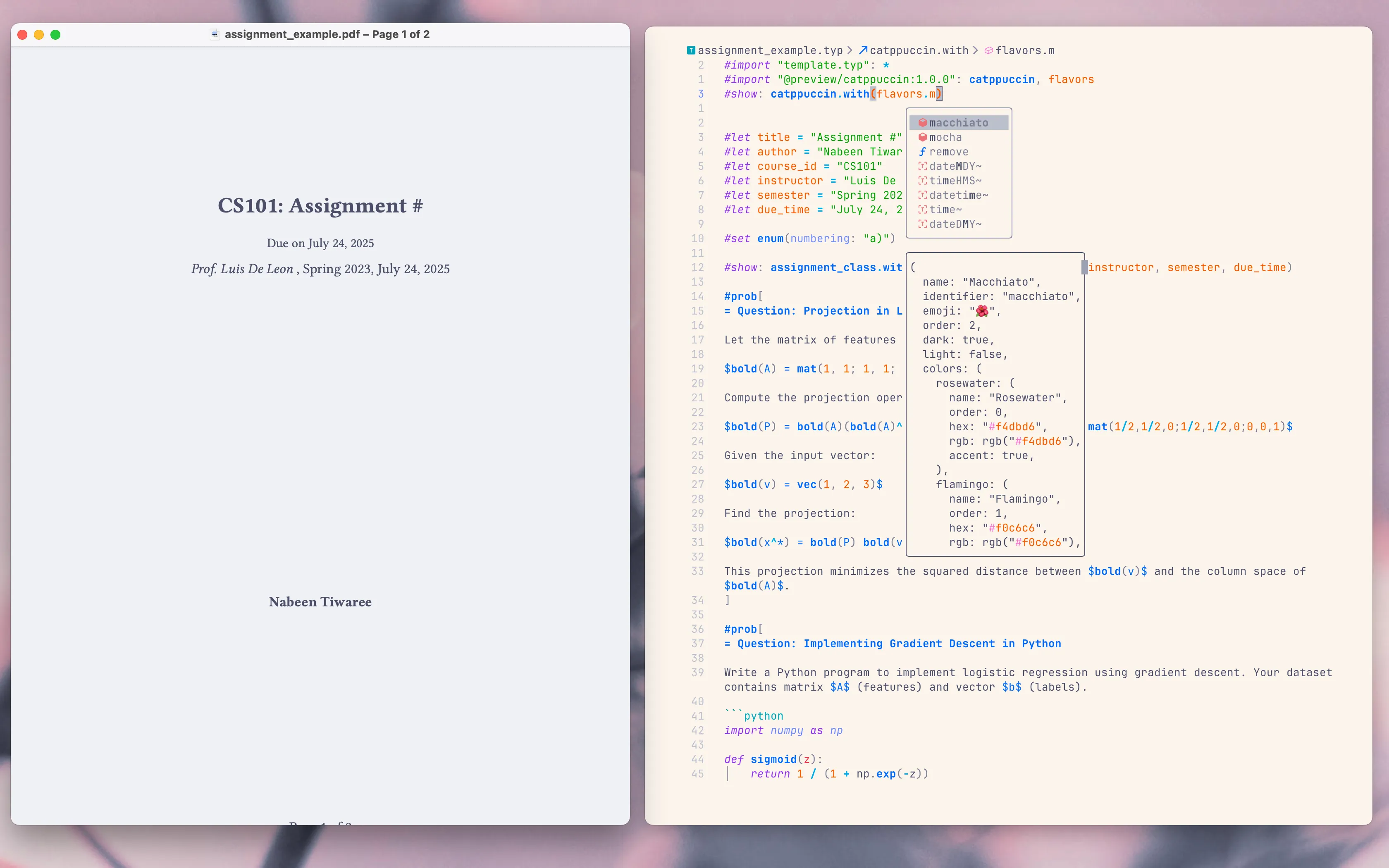
The setup
A dedicated Git repo for all my university notes. Neovim as the editor with
tinymist for Typst LSP. A flake with nix-direnv for dependencies.
I use NixOS and macOS, so flakes just work everywhere. And I get the
git push/pull workflow I like.
flake.nix
{
  inputs = {
    nixpkgs.url = "github:nixos/nixpkgs/nixos-unstable";
  };

  outputs = { nixpkgs, ... }:
    let
      systems = [ "x86_64-linux" "aarch64-linux" "x86_64-darwin" "aarch64-darwin" ];
      forAllSystems = f: nixpkgs.lib.genAttrs systems (system: f (import nixpkgs { inherit system; }));
    in {
      devShells = forAllSystems (pkgs: {
        default = pkgs.mkShell {
          packages = with pkgs; [
            typst         # Typesetting
            tinymist      # LSP for Typst
            python3       # Python runtime
            basedpyright  # Python LSP
            ruff          # Formatter
            uv            # Python package manager
          ];

          env.LD_LIBRARY_PATH = pkgs.lib.makeLibraryPath [
            pkgs.libz
            pkgs.stdenv.cc.cc.lib
          ];
        };
      });
    };
}
.nvim.lua
Neovim 0.12 has a built-in package manager, so I dropped lazy.nvim. I use a
.nvim.lua at the project root for per-directory config.
vim.pack.add({
  { src = "https://github.com/neovim/nvim-lspconfig", name = "lspconfig" },
})

vim.lsp.enable({ "basedpyright", "tinymist" })

vim.api.nvim_create_autocmd("filetype", {
  pattern = "python",
  callback = function()
    vim.keymap.set("n", "<leader>lf", function()
      vim.cmd("silent! !ruff format %")
      vim.cmd("edit!")
    end, { desc = "Format Python file with ruff" })
  end,
})
Inline errors, autocompletion, signature help, and quick formatting. No external plugin manager needed.
A couple of years ago, my older brothers introduced me to LaTeX — I thought that was the gold standard. After showing them Typst, even they’ve switched.
I’m still watching the HTML support PR, which would make it even easier to integrate Typst in more places. But even now, it’s already changed how I work.